
































 1001 Games
 1v1 Games
 2 Player Games
 3D Games
 Action Games
 Adventure Games
 Airplane Games
 Animal Games
 Anime Games
 Arcade Games
 Archery Games
 Army Games
 Basketball Games
 Block Games
 Boxing Games
 Brain Games
 Bubble Shooter Games
 Bus Games
 Cake Games
 Car Games
 Cat Games
 Classic Games
 Clicker Games
 Cooking Games
 Cool Games
 Crazy Games
 Difficult Games
 Doctor Games
 Dog Games
 Dress Up Games
 Drifting Games
 Easy Games
 Escape Games
 Farm Games
 Fighting Games
 Football Games
 FPS Games
 Funny Games
 Games for Boys
 Games for Girls
 GTA Games
 Gun Games
 Horror Games
 Html5 Games
 Io Games
 Kids Games
 Makeup Games
 Matching Games
 Minecraft Games
 Motor Games
 Multiplayer Games
 Parking Games
 Puzzle Games
 Racing Games
 Retro Games
 Running Games
 Simulation Games
 Skill Games
 Sports Games
 Strategy Games
 Surgery Games
 Tower Defense Games
 Unblocked Games
 War Games
 Zombie Games
Armed Forces IO
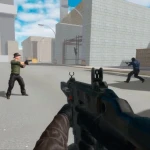
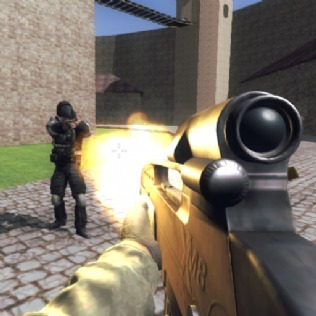
Armed Forces IO is a high-octane multiplayer tactical shooter that plunges you directly into the heart of modern warfare. As a specialized soldier, your primary mission is to dominate the battlefield by neutralizing threats in fast-paced, ten-minute skirmishes that test your tactical prowess. Whether you are facing off against seasoned global competitors or sharpening your skills against advanced AI bots, the game demands a perfect synergy of strategic positioning and lightning-fast reflexes. The objective is simple yet challenging: outscore the opposition and survive the relentless chaos of the front lines.
How to Play
Getting started in Armed Forces IO is intuitive, yet the game offers significant depth for competitive players looking for a professional FPS experience. Upon entering the main menu, you are presented with two primary paths: click "PLAY ONLINE" to enter the matchmaking queue against real players, or select "BATTLE" to engage in a focused encounter with AI-controlled opponents. Once you have customized your loadout and selected your preferred game mode, clicking "CONFIRM AND PLAY" launches you into a high-stakes environment where every second counts. The core gameplay mechanics revolve around objective-based combat within a strict time limit, forcing players to balance aggressive pushes with defensive awareness. To succeed, you must adapt to the verticality of the maps and the varying engagement ranges of your weaponry.
Controls
Mastering the movement mechanics and combat inputs is essential for survival in this browser-based environment. Familiarize yourself with these commands to gain an edge over your rivals:
- Movement: Use the "W, A, S, D" keys or the arrow keys to navigate the terrain and position yourself strategically.
- Camera Rotation: Move your mouse to scan the horizon, check corners, and detect enemy movement before they spot you.
- Fire Weapon: Use the left mouse button to unleash a hail of bullets on your targets.
- Aim: Hold the right mouse button to engage the iron sights or scope for high-precision targeting at long distances.
- Slide: Press "SPACE" to perform a tactical slide, which is ideal for crossing open areas under fire or dodging incoming projectiles.
- Switch Weapons: Use the "1, 2, 3" keys to cycle through your primary, secondary, and melee options based on the combat situation.
- Interact: Use "E" or "F" to communicate with your squad or interact with environmental objects for a tactical advantage.
- Explosives: Press "G" to deploy grenades or dynamite to clear out fortified positions and groups of enemies.
- Crouch: Press "C" to lower your profile, improve your firing accuracy, and stay hidden behind low cover.
Tips and Strategies
To excel in Armed Forces IO, you must look beyond simple point-and-shoot tactics and embrace a more comprehensive combat strategy. First, always prioritize map awareness by monitoring the heads-up display (HUD), which provides real-time information on your current score, remaining time, and ammunition status. Scavenging the battlefield is another vital tactic; picking up discarded weapons can provide a significant advantage if your current arsenal is ill-suited for the terrain. Furthermore, communication is the backbone of victory in team-based modes. Using the interaction keys to coordinate with your teammates ensures that your squad moves as a cohesive unit. Finally, remember that the momentum of the match can shift in seconds, so use the slide and crouch mechanics to remain an unpredictable target while maintaining a high volume of fire.
More Games Like This
Armed Forces IO After finishing the game, you might want to play other challenging and popular games. Raft Wars or PUBG Mobile Online we recommend checking out our other popular games like
Frequently Asked Questions
Q: Can I play Armed Forces IO on a standard web browser?
A: Yes, the game is a highly optimized browser-based FPS that runs on most modern web browsers without the need for heavy downloads.
Q: How long does a typical match last?
A: Each round in Armed Forces IO is capped at 10 minutes, providing a condensed and intense combat experience that rewards efficiency.
Q: Is there a way to practice before playing against real people?
A: Absolutely. By selecting the "BATTLE" mode, you can hone your aiming and movement skills against AI bots before challenging real players online.
Q: How do I improve my accuracy in the game?
A: Utilizing the "Aim" function (right-click) and crouching while firing will significantly reduce weapon recoil and improve your shot precision.
If you enjoyed the adrenaline-pumping action and deep mechanics of Armed Forces IO, be sure to explore our extensive collection of tactical shooters and multiplayer battle games to keep your skills sharp and the excitement going!